



A QR code for a website is a link drawn as a pattern. Phones read the pattern and offer to open the address. Making one is quick. The mistakes that matter happen after it is printed.
Choose the link first
- Use an address you control. If you might change the destination later, create a page or redirect on your own domain and encode that.
- Keep it short. Longer addresses create denser codes that are harder to scan when small.
- Use HTTPS and open the link on mobile data to check it works outside your own network.
- Add campaign parameters now if you want visits to appear separately in your analytics. They cannot be added to a printed static code.
Static or dynamic
A static code contains your address. Nothing sits in the middle. A dynamic code contains a provider's redirect address, which lets you change the destination and count scans, but depends on that provider continuing to run the redirect. Choose with that dependency in mind.
Create the code
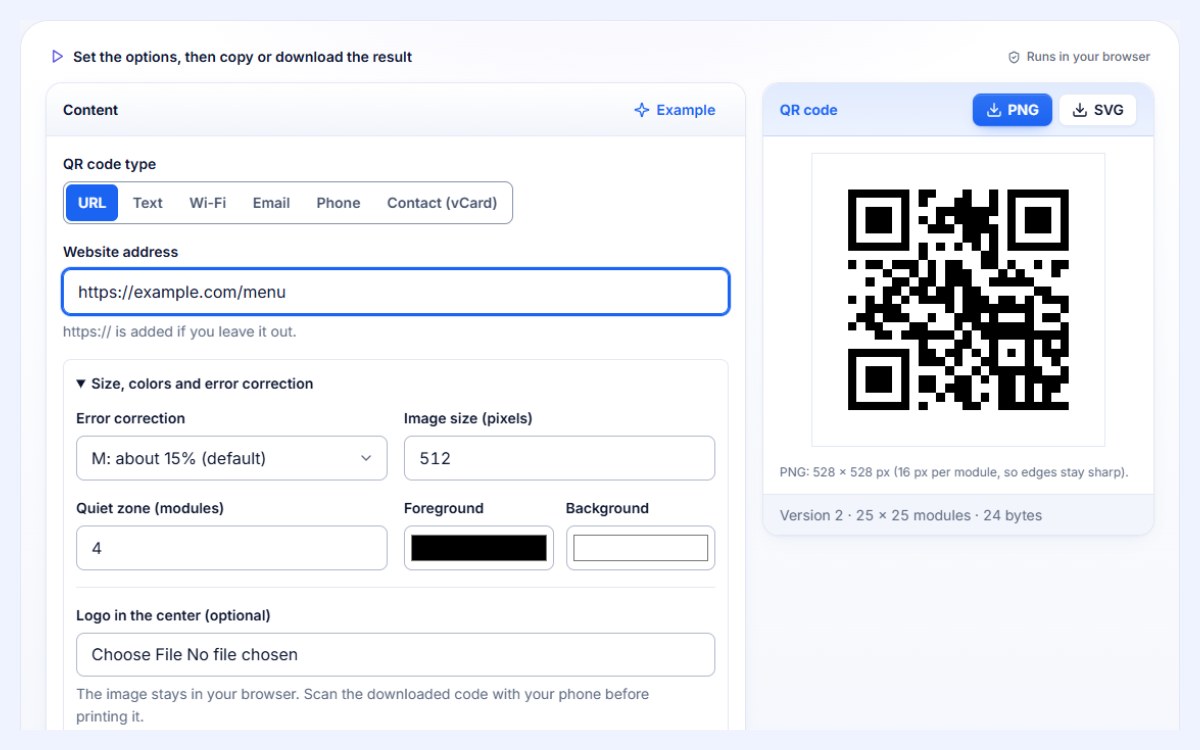
- Open the QR Code Generator. Its codes are static.
- Choose URL and enter the address.
- Keep dark modules on a light background.
- Download SVG for print, or PNG for screens and documents.
Add a logo carefully
A logo covers part of the pattern, so the code relies on error correction to recover it. The generator switches to the highest level, H, when you add a logo and limits how large it can be. A small, simple logo leaves more spare capacity for glare, scratches and imperfect printing.
Size and spacing for print
- Keep a blank margin four modules wide around the code. The generator includes it; do not let a design crop it.
- For close scanning, such as a business card, start at about 2 × 2 cm.
- For signs, a common rule of thumb is a width of about one tenth of the scanning distance.
These are starting points, not guarantees. Curved surfaces, glossy paper and poor light all make scanning harder.
Test before you print the whole run
- Print one copy at the final size on the final material.
- Scan it with more than one phone, including an older one if you can.
- Stand where people will stand.
- Confirm the page that opens is correct and readable on a phone.
Write next to the code what it opens, for example "Scan to see the menu", and print the short address underneath for people who cannot or prefer not to scan. If you later move the page, set up a permanent redirect so printed codes keep working.
Frequently asked questions
Does a static QR code expire?
The image itself has no expiry, because the address is stored inside it. It stops being useful if the page it points to is removed or moved without a redirect.
Can I change where a printed code goes?
Not for a static code. If you point it at a page on your own site, you can later change that page or redirect it.
- #qr code
- #links