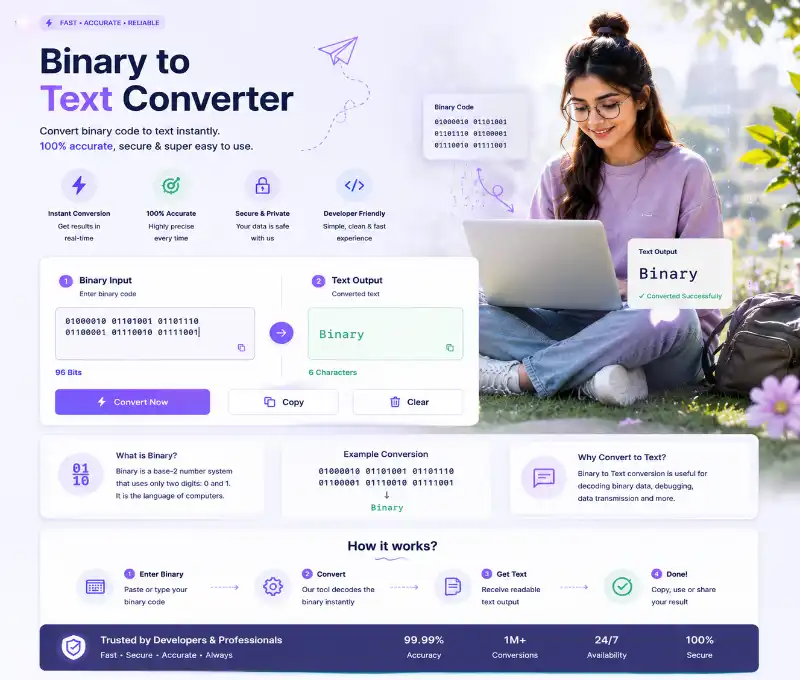
Free Binary to Text Converter Tutorial Guide
Your Journey Starts Here!
Have you ever encountered a string of 0s and 1s and wondered what secret message it contains? This detailed tutorial reveals every feature of the Binary to Text Converter so you can convert binary to text without any hassle. Our Text To Binary Converter helps you go the other direction.
Binary to text conversion is the bridge between machine language and human readable content. This tool takes any valid binary input and transforms it into plain text you can understand instantly. The Binary to Text Converter supports multiple input formats for flexibility.
↔
Go Both Ways: Want to encode text to binary instead? Try our
text to binary converter for the reverse process. This Text To Binary Converter makes encoding simple.
What is Binary to Text Conversion?
When computers store text, they actually store numbers. Each character gets assigned a number, and that number gets stored as binary. Binary to text conversion reverses this reading the binary numbers and converting them back to the characters they represent.
Every 8 bits (or 1 byte) of binary equals one ASCII character. For instance, 01001000 equals decimal 72, which is the letter "H" in ASCII. That's the fundamental principle behind this conversion.
🧮
See the Numbers: Curious about decimal conversion? Our
binary to decimal converter explains how binary maps to numbers. Use our Text To Binary Converter for encoding text back to binary.
Step-by-Step Guide
1 Input Your Binary Data
Paste your binary code into the input area. The tool accepts multiple formats space-separated bytes like 01001000 01100101, continuous binary like 0100100001100101, or even newlines between bytes.
Make sure your binary contains only 0s and 1s and is in complete 8-bit groups. The tool validates your input automatically and alerts you if something's wrong.
🔣
Try Hex: For different number systems, check our
binary to hex converter used in programming. Our Text To Binary Converter handles text based encoding too.
2 Check Output Formats
After decoding, you get several output options: the decoded text itself, uppercase version, lowercase version, plus hex and decimal representations of each character. There's even reversed text for verification.
Click any output card to copy that specific format. The tool confirms with a "Copied!" message quick and convenient for any project.
📂
All Tools: Need more conversions? Visit our complete
binary tools for every format.
Additional Features Explained
3 Batch Decoding
The Batch Decode tab lets you process multiple binary strings at once. Enter each binary string on its own line, and the tool converts all of them together, showing results for each input.
Invalid binary lines get marked with error messages so you can identify and fix problems quickly in your batch processing.
📋
More Decoding: For broader binary conversion, explore our
binary decoder with additional formats.
4 Binary Validator
This utility checks whether your string is valid binary and ready for conversion. It shows if your binary has valid characters, proper 8-bit groups, how many characters it would produce, and whether it's decodable.
Think of the validator as a pre-flight check use it before attempting conversion to ensure smooth processing.
💻
Learn Encoding: To understand how text becomes binary, visit our
ASCII to binary tool. The Text To Binary Converter provides the reverse process.
5 Code Examples
The Code Snippets tab provides ready implementations in JavaScript, Python, PHP, Java, and C. Each example shows how to build your own binary to text converter in that language.
These snippets include proper error handling and can be directly integrated into your applications. Perfect for developers who need this functionality in their projects.
Real-World Applications
- Programming: Decode binary data from files, databases, or network communications.
- Cybersecurity: Analyze encoded payloads and examine suspicious binary data.
- Education: Learn how computers represent text internally through hands-on practice.
- Puzzle Solving: Decode binary messages in games, competitions, or escape rooms.
- Data Recovery: Extract readable content from corrupted or damaged binary files.
Common Questions Answered
How does binary become readable text?
Each 8-bit binary group represents one character. The tool converts each group to its decimal ASCII value, then displays the corresponding character. This is standard binary to text conversion used everywhere.
What if my binary isn't exactly 8 bits?
The tool requires complete 8-bit groups. If your binary has incomplete groups, you'll get an error. Make sure each byte is exactly 8 characters of 0s and 1s.
Can I decode multiple strings at once?
Absolutely use the Batch Decode tab. Enter multiple binary strings, one per line, and get results for all of them together.
What's Auto Detect format?
Auto Detect figures out whether your binary is space-separated, continuous, or newline format automatically. Manual options let you specify if you prefer.
Why see hex and decimal values?
Each character has numeric codes in different bases. Hex (base-16) and decimal (base-10) are just different ways to represent the same ASCII character code.
Is the conversion always correct?
Yes, 100% accurate for valid input. The conversion follows standard ASCII encoding exactly, giving you reliable results every time.
Ready to Decode? Enter some binary and watch it transform into readable text. The more you practice, the easier it becomes!
You now have complete knowledge of the Binary to Text Converter every feature, every option, and every use case. This Binary to Text Converter handles all your decoding needs. Happy decoding!
