
Sort Text Lines
Sort lines alphabetically, by length, numerically, by word count, randomly and more. 8 sort modes with reverse, case-sensitive and unique line options.
Free Sort Text Lines Online Tutorial
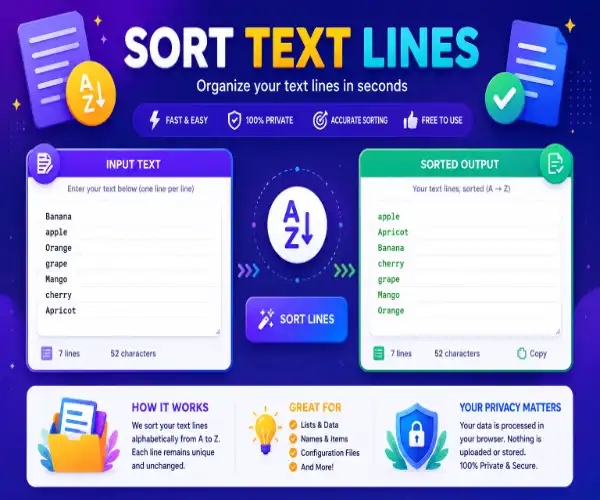
Understanding how to sort text lines online
This tool arranges any block of text into ordered sequences automatically. Whether someone needs alphabetical sorting, reverse order, numeric arrangement, or custom list organization, the tool processes everything in real time without manual rearranging.
The ability to sort lines of text becomes essential for organizing names, cleaning word lists, arranging CSV exports, preparing datasets, managing inventory records, and formatting content for structured output. Users can paste any text and get organized results instantly.
Unlike basic text editors, this utility includes multiple sort modes, case sensitivity controls, duplicate removal, reverse sorting, numeric detection, live preview output, and detailed line statistics that show exactly how the content changed after processing.
Encoded text blocks often need sorting before processing. Organized lists make Base64 conversion workflows cleaner and easier to debug during development.
Multiple sort modes and configuration settings
The tool offers several ways to sort lines of text. The ascending mode arranges content from A to Z while descending mode reverses the order from Z to A. Users who work with numbers can enable numeric sort which detects and orders numerical values correctly instead of treating them like plain text.
The case sensitive option treats uppercase and lowercase letters differently during sorting. When disabled, all letters are compared without case distinction which produces more natural alphabetical ordering for mixed case lists.
The remove duplicates feature automatically eliminates repeated lines while sorting, which helps users clean messy datasets and create unique sorted lists in a single operation.
Organized sorted lists work better as input for encoding operations because structured data reduces processing errors during Base64 transformations.
Live preview and real time sort processing
The sort text lines interface updates output instantly while typing or pasting content. Users can watch the sorted result change in real time without pressing any extra buttons. This live feedback makes experimenting with different sort modes fast and intuitive.
The reverse sort option flips the current order completely, giving users instant access to both ascending and descending arrangements without switching modes manually.
The line counter shows total input lines, sorted output lines, removed duplicates, and character counts. These statistics help users verify that their data was processed correctly and completely.
Sorted URL lists and organized query parameters improve encoding accuracy during web development and API testing operations.
Remove duplicates and clean sorted output
The remove duplicates option pairs perfectly with the sort lines of text feature. Users can first arrange content in order then automatically eliminate repeated entries in a single pass. This is especially useful for cleaning mailing lists, inventory records, and exported database columns.
The tool also supports line based sorting where each line is treated as a separate item. This standard approach works well for word lists, name directories, product catalogs, and any content where each line represents an individual entry.
- Remove duplicate lines while sorting
- Sort alphabetically in any order
- Reverse order for descending lists
- Numeric detection for number values
- Live preview of sorted output
Understanding how to sort content helps users prepare cleaner data for spreadsheets, database imports, content management systems, and formatted document exports.
Sorted text output combined with pattern matching helps users analyze structured data and identify repeated entries during content inspection.
Frequently asked questions
What is a text sorter tool?
A text sorter tool arranges lines of text into alphabetical or numerical order automatically, saving time compared to manual reorganization.
Can I sort lines of text in reverse order?
Yes. The descending sort mode arranges content from Z to A while the reverse toggle flips the current order with one click.
Does numeric sorting work correctly?
Yes. Numeric sort mode detects actual number values and arranges them properly instead of treating digits as plain text characters.
Can I remove duplicates while sorting?
Absolutely. The remove duplicates option automatically eliminates repeated entries while applying the selected sort order in a single step.
Sorted JSON data and organized key lists improve readability during debugging and data inspection workflows.
Final thoughts on this sort text lines tool
This sorting tool combines ascending ordering, descending ordering, numeric detection, duplicate removal, case sensitivity controls, reverse toggling, live preview output, and detailed line statistics into one practical text organization utility.
Whether someone needs to sort lines of text for data preparation, list cleanup, database imports, content formatting, inventory management, or spreadsheet organization, this tool provides fast and accurate results without requiring any technical knowledge.
The ability to process content in real time while adjusting sort modes makes this tool far more efficient than manual editing or spreadsheet based sorting for everyday text organization tasks.
Organized HTML content and sorted markup lists become easier to navigate and inspect during web development workflows.
Formatted and sorted HTML improves readability when analyzing structured markup and organized code blocks.
Sorted JavaScript arrays and organized code variables become easier to debug after applying text formatting and structuring tools.