
How To Convert Octal To Binary Complete Tutorial Guide
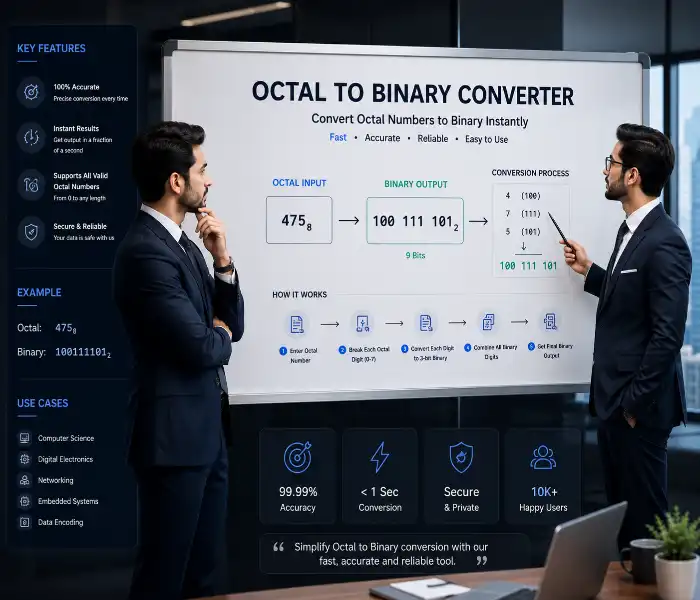
The octal to binary converter is a specialised tool that transforms base-8 numbers, which use digits 0 through 7, into their base-2 binary equivalents made of 0s and 1s. Every octal digit maps directly to exactly three binary bits this one-to-three relationship makes the conversion straightforward and predictable. Instead of memorising the octal to binary mapping table or doing manual long division, you type an octal number and get the binary output instantly with live updates as you type. The tool also shows the decimal and hexadecimal equivalents, a per-digit breakdown, batch conversion for multiple numbers, and ready-to-use code snippets in five programming languages. This Octal to Binary Converter makes the process effortless.
This tool is built for students learning number systems in computer science, programmers converting octal literals to binary for low-level coding, electronics engineers working with 3-bit groupings in digital circuits, and anyone studying data representation. The five-tab interface covers every workflow: the main converter with grouping and prefix options, a digit breakdown view that shows each octal digit mapped to its 3-bit binary equivalent, a reference table for quick lookups, batch conversion for processing multiple numbers at once, and a code section with pre-written functions that you can copy directly into your projects.
Octal to Binary Converter Understanding the Tool
The octal to binary converter uses a simple principle: each octal digit 0-7 maps to a 3-bit binary sequence. Octal 0 becomes 000, 1 becomes 001, all the way up to 7 becoming 111. The tool applies this mapping to every digit in the input and joins the results. For example, octal 123 becomes 001 010 011 in 3-bit grouped format. You can change the grouping to 8-bit bytes for memory-address-style output or continuous for a raw bitstream. The prefix option lets you add 0b for standard binary notation or use 0o to indicate octal input format. All options update the output in real time without needing to recalculate manually.
The hero banner at the top of the tool gives you a live preview of the binary output as you type. Below it, five mode tabs let you switch between different workflows. The main converter section has two large panels octal input on the left with a text field and binary output on the right with a read-only textarea. The arrow between them animates the conversion direction. Stats cards below the converter show the octal value, the decimal equivalent, the hex value, and the total bit count. A results grid underneath provides six clickable output formats for copying: 3-bit groups, 8-bit bytes, raw binary, decimal, hexadecimal, and 0o-prefixed format.
How to Convert Octal to Binary Modes and Options
Learning how to convert octal to binary with this tool involves five distinct modes, each designed for a specific use case. The Convert mode is the main converter with the input field and output panel. The Digit Breakdown mode splits the octal number into individual digits and shows each one with its corresponding 3-bit binary, the decimal value of that digit, and visual bit boxes coloured amber for 1 and gold for 0. The Reference mode displays a clickable table of all eight octal digits (0-7) with their binary and decimal values clicking any digit auto-fills the converter. The Batch mode accepts multiple octal numbers, one per line, and converts them all at once with output showing octal, binary, and decimal. Our Octal to Binary Converter supports all these modes.
Convert Octal to Binary Online Step by Step Workflow
Using this tool to convert octal to binary online requires no installation or setup. Open the page, and the converter is ready with a default octal value of 123 already loaded in the input field. The binary output appears instantly in the textarea, and the hero banner at the top shows a preview. Type any octal number using digits 0-7, and the tool updates live on every keystroke. If you enter a character outside the valid range, an error message appears below the input field and the field border turns red, preventing incorrect conversions. This real-time feedback helps you learn as you type you see the binary output change with each digit you add or remove.
- Enter your octal number Type digits 0-7 in the Octal Input field. The tool validates every character and shows an error for invalid entries.
- Choose display options Select grouping (3-bit, 8-bit, continuous) and prefix (none, 0b, 0o) to control how the binary output appears.
- Copy your results Click any result card to copy it to your clipboard, or use the Copy Binary button in the hero banner for quick access.
The grouping option changes how the binary output is formatted. 3-bit grouping separates each octal digit's binary representation with spaces perfect for learning the digit-to-bit mapping. 8-bit grouping pads the binary string to full bytes and separates them, which is useful for memory address representation. Continuous mode removes all spaces and shows the raw bitstream, ideal for programming assignments and data processing. The prefix option adds 0b before the binary output for standard programming notation or displays 0o before the input in the results area for clarity. Each combination produces a slightly different output, and the tool updates immediately when you change any option.
Convert Octal to Binary Calculator Understanding Results
A convert octal to binary calculator is only useful if you can interpret the results correctly. The main output displays the binary equivalent of your octal input in the chosen grouping and prefix format. Below it, four stats cards provide the octal value for reference, the decimal equivalent calculated by multiplying each octal digit by its place value (8^2, 8^1, 8^0), the hexadecimal conversion for higher-base work, and the total bit count of the binary output. The six result cards below the stats give you every format you might need: binary in 3-bit groups, binary in 8-bit bytes, raw continuous binary, plain decimal, hexadecimal, and the octal number with a 0o prefix.
The reference table mode is invaluable for beginners learning octal to binary mapping. It displays all eight octal digits (0-7) in a grid, each showing the digit, its 3-bit binary equivalent, and its decimal value. Clicking any cell populates the converter with that digit, letting you experiment incrementally. This interactive reference makes learning feel active rather than passive. The batch mode accepts multiple octal numbers entered one per line in the input textarea and converts them all at once. The output shows each octal number aligned with its binary equivalent and decimal value, making it easy to compare multiple conversions side by side.
Octal to Binary Converter with Steps Digit Breakdown
An octal to binary converter with steps shows the conversion process at the digit level. When you switch to the Digit Breakdown tab, the tool splits your octal number into individual digits and displays each one as a separate card. Each card shows the octal digit in large amber text, the label "Octal digit," its 3-bit binary representation as individual bit boxes (amber for 1, gold for 0), and the decimal value of that digit. For octal 1234, you see four cards showing 1 → 001 (decimal 1), 2 → 010 (decimal 2), 3 → 011 (decimal 3), and 4 → 100 (decimal 4). Clicking any card copies its 3-bit binary to your clipboard. This Octal to Binary Converter with steps is educational.
| Octal | Binary | Decimal | Description |
|---|---|---|---|
| 0 | 000 | 0 | Zero |
| 1 | 001 | 1 | One |
| 2 | 010 | 2 | Two |
| 3 | 011 | 3 | Three |
| 4 | 100 | 4 | Four |
| 5 | 101 | 5 | Five |
| 6 | 110 | 6 | Six |
| 7 | 111 | 7 | Seven |
How to Convert Octal to Binary Step by Step Manual Method
Understanding how to convert octal to binary step by step manually is straightforward once you know the mapping. Take each octal digit individually, write down its 3-bit binary equivalent, and string them together. For octal 725, the digits are 7, 2, and 5. Seven maps to 111, two maps to 010, and five maps to 101. Combine them to get 111010101. The tool automates this but the Digit Breakdown mode lets you see every step visually. The reference table serves as a quick lookup for the mapping. This step-by-step approach is how computer science students learn number system conversions before moving on to more complex topics.
How to Convert Octal into Binary Practical Examples
To master how to convert octal into binary, practice with varied examples. Convert octal 0 to binary the result is simply 000. Octal 777 becomes 111 111 111, a string of nine 1s. Octal 64 breaks down as 6 → 110 and 4 → 100, giving 110100. Octal 12348 yields four digits: 1 → 001, 2 → 010, 3 → 011, and 4 → 100, producing 001010011100. The tool handles octal numbers of any length, so you can test with short single-digit values or longer strings for batch processing. The batch mode is particularly helpful for practising because you can enter multiple test cases at once and verify your manual calculations against the tool's output.
How to Convert Octal to Binary Step by Step Frequently Asked Questions
What is an octal number system?
Octal is a base-8 number system that uses eight digits: 0, 1, 2, 3, 4, 5, 6, and 7. It is commonly used in computing as a compact representation of binary data because each octal digit maps to exactly three binary bits.
Why does each octal digit convert to 3 binary bits?
Because 2^3 = 8, which is the base of the octal system. Three bits can represent 8 distinct values (000 to 111), perfectly matching the octal digit range of 0 to 7.
What happens if I enter an invalid character?
The input field border turns red and an error message appears saying "Invalid octal digits 0-7 only." The tool prevents conversion until you correct the input, ensuring accurate results.
How do I copy a specific result format?
Click any of the six result cards in the results grid they copy that specific format to your clipboard. You can also click the Copy Binary button in the hero banner for the main output.
What is the difference between 3-bit and 8-bit grouping?
3-bit grouping separates each octal digit's binary output with spaces, matching the digit-to-bit mapping. 8-bit grouping pads the binary to full bytes for memory-address-style output.
Can I convert multiple octal numbers at once?
Yes. Switch to the Batch tab and enter one octal number per line in the input textarea. Click Convert All or type to see live results for each number with binary and decimal values.
What programming languages are available in the Code tab?
The Code tab provides ready-to-use functions in JavaScript, Python, PHP, Java, and C. Each snippet implements octal to binary conversion with validation and proper formatting.
Does the tool work on mobile devices?
Yes. The layout adjusts to smaller screens with stacked inputs, scrollable tables, and touch-friendly buttons. The reference table and digit breakdown reflow into compact grids.
C Program to Convert Octal to Binary Code Reference
A c program to convert octal to binary is a common exercise in systems programming courses. The C snippet in the Code tab iterates through each character of the octal string, converts it to an integer by subtracting the ASCII value of '0', then prints the three bits using bit shifting. The logic uses a for loop from bit position 2 down to 0, shifting the digit value right by i positions and masking with 1. This produces the 3-bit binary representation for each octal digit. The code includes validation and proper formatting with spaces between digit groups.
How to Convert Octal to Binary in Python Code Snippet
The how to convert octal to binary in python snippet uses Python's concise syntax to achieve the same result. It validates the input by checking that every character is in the string '01234567', then uses a list comprehension with format(int(d, 8), '03b') to convert each digit. The format function converts the integer value of each octal digit to a 3-character binary string with leading zeros. The result is joined with spaces for readability. This Python implementation is ideal for scripting, data processing, and educational contexts where readability matters.