Free Open Graph Checker Tutorial Complete Guide
Your Complete Guide to Social Media Preview Optimization
When you share a link on Facebook, Twitter, or LinkedIn, you want it to look compelling and professional. The Open Graph Checker analyzes your website's meta tags to ensure your links display beautifully across all major social platforms. This tutorial walks you through every feature so you can optimize your social presence with confidence.
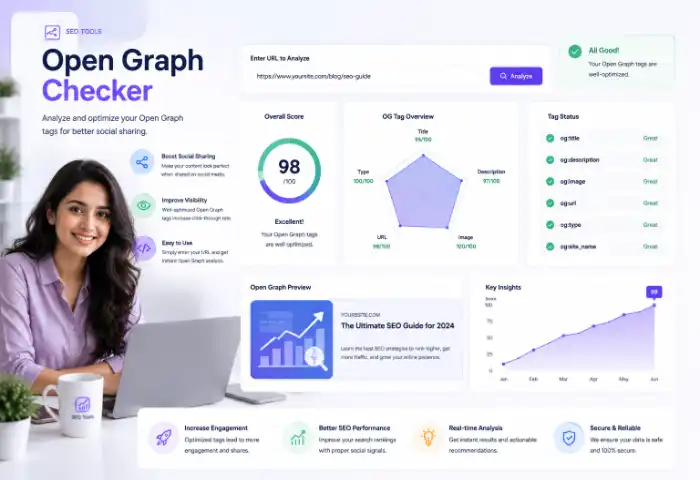
Open Graph (OG) tags are special HTML meta elements that control how your website appears when shared on social media. Without proper OG tags, your shared links might show boring text instead of an attractive title, description, and image. The Open Graph Checker examines your tags and shows you exactly how your content will look on Facebook, Twitter/X, and LinkedIn.
🔍
Create OG Tags: Generate properly formatted Open Graph tags with our
Open Graph generator and verify them with the Open Graph Checker to ensure your social previews always look professional.
Understanding the Tool's Features
This powerful tool performs a comprehensive analysis of your Open Graph and Twitter Card implementation. It checks essential OG tags like title, description, image, and URL. It verifies Twitter Card configuration including card type, title, description, and image. It validates optional but valuable tags like site name, locale, and image dimensions that improve platform rendering.
The Check Open Graph tool calculates an overall OG Score (0-100%) based on three weighted categories: Essential tags (50%), Twitter Cards (30%), and Optional tags (20%). This score helps you quickly understand how well your social optimization is configured.
🐦
Twitter Cards: Create perfect Twitter Card tags using our
Twitter card generator for professional Twitter previews.
Step-by-Step Check Open Graph Usage Guide
Step 1: Get Your HTML Source
Due to browser security restrictions (CORS), the tool cannot directly fetch websites. Instead, you paste your page's HTML source code. Open your webpage in a browser, press Ctrl+U (or right-click and choose "View Page Source"), press Ctrl+A to select everything, then Ctrl+C to copy. You can also click "Try Demo" to see how the tool works with sample data.
Demo Mode Tip: Clicking "Try Demo" loads a fully optimized example showing proper Open Graph and Twitter Card tags. Use this to understand exactly what well-configured social tags look like in practice.
📄
HTML Tools: Clean up your HTML with our
HTML formatter before analysis for better readability.
Step 2: Check Open Graph Tags
Paste your copied HTML into the source code box and click "Analyze." Within seconds, you'll see every OG and Twitter tag listed with its status. Tags marked with a green checkmark are properly set, yellow warnings indicate issues like too-short or too-long content, and red errors show missing required tags. Each tag displays its actual content, character count, and best practice recommendations.
For tags with ideal length ranges (like og:title at 30-70 characters), a visual progress bar shows where your content falls within the optimal range. This helps you quickly see if your titles or descriptions might get truncated on social platforms.
👁️
View HTML: Understand your page structure with our
HTML viewer to see how elements are organized.
Step 3: Review Social Previews
The social preview section shows exactly how your link will appear on each platform. Use the platform tabs (FB, Twitter, LinkedIn) to switch between previews. You'll see your title, description, and image in the same format users see when scrolling through their feeds. If any element is missing or improperly set, the preview clearly indicates "not set."
Image Requirements: For best results, your og:image should be at least 1200×630 pixels. The image checker section validates whether your image dimensions meet platform recommendations.
🖼️
Favicon: Generate a proper favicon for your site with our
favicon generator to complete your brand identity.
Step 4: Check Recommendations
The recommendations panel provides actionable suggestions sorted by priority. Critical issues (red) like missing og:title or og:image appear first, followed by warnings (yellow) for length issues, and informational items (blue) for optional improvements. Each recommendation explains exactly what to fix and why it matters.
Reading Your Results
Score Breakdown
The OG Score displays as a percentage with three category bars: Essential (OG title, description, image, URL, type), Twitter (card type, title, description, image), and Optional (site name, locale, image dimensions, image alt). Each bar shows how well you configured that specific category, making it easy to identify which areas need attention.
A score above 80% is excellent, meaning your social previews will look professional and compelling. Scores between 60-79% indicate good setup with room for improvement. Below 60% means critical tags are missing that significantly impact how your links appear when shared.
📊
Sitemap: Generate XML sitemaps with our
XML sitemap generator to help search engines discover your optimized pages.
Image Validation
The Image Checks section verifies eight specific image-related elements: og:image is set, width is declared, height is declared, alt text is set for accessibility, image type is declared, Twitter image is set, width meets 1200px minimum, and height meets 630px minimum. Each check shows a pass/fail status helping you ensure images display correctly.
Platform Checklist
The checklist provides at-a-glance verification for each major platform: Facebook requires og:title, og:description, and og:image. Twitter needs twitter:card set (preferably summary_large_image). LinkedIn uses Open Graph tags similar to Facebook. The checklist confirms whether your configuration meets each platform's basic requirements.
🔧
SEO Tools: Check other SEO elements with our
meta tags analyzer for complete optimization.
🤖
Robots Config: Configure crawler access with our
robots.txt generator for proper search engine handling.
Why Check Open Graph Matters
Proper Open Graph configuration directly impacts your social media success:
- Higher Engagement: Compelling previews with attractive images get significantly more clicks and shares.
- Brand Consistency: OG tags ensure your brand appears professionally across every platform.
- Better Analytics: When properly configured, social platforms track your content performance more accurately.
- Link Credibility: Complete social previews appear more trustworthy than incomplete or missing ones.
- Mobile Experience: Most social sharing happens on mobile OG tags ensure proper display on small screens.
Frequently Asked Questions
What exactly are Open Graph tags?
Open Graph tags are HTML meta elements that tell social platforms how to display your content when shared. They include og:title (the headline), og:description (the summary text), og:image (the preview image), og:url (the canonical link), and og:type (content type like website or article). These tags appear in the section of your HTML.
Why can't I just enter a URL to check?
Browser security policies (CORS) prevent web pages from directly fetching other websites' content using JavaScript. By copying your page's source code (Ctrl+U → Ctrl+A → Ctrl+C) and pasting it into the analyzer, you bypass this limitation while receiving the same comprehensive analysis of your Open Graph configuration.
What's the difference between Open Graph and Twitter Cards?
Open Graph is primarily used by Facebook and LinkedIn, while Twitter Cards specifically control how your links appear on Twitter/X. While there's some overlap and Twitter can fall back to Open Graph values, explicitly setting Twitter Card tags ensures your content looks its best on each platform.
What image size do I need for social sharing?
The recommended minimum is 1200×630 pixels. This ensures your image looks sharp on high-resolution displays and across different screen sizes. Facebook specifically recommends this size and will crop smaller images or scale them in ways that might not look ideal.
Do Open Graph tags affect Google search rankings?
No, Open Graph tags don't directly influence Google search rankings. However, they critically impact how your content appears when shared on social media, which can drive significant traffic to your site. Compelling social previews increase click-through rates from social platforms.
What if my OG score is low?
A low score simply means critical tags are missing. Focus on the Essential category first add og:title, og:description, og:image, og:url, and og:type. These five tags have the biggest impact on how your content appears on social platforms. Work through the recommendations list systematically to improve your score.
Start Checking Today! Copy your webpage's HTML source, paste it into the analyzer, and discover exactly how your links will appear on social media. Use the recommendations to optimize your Open Graph configuration and make every share count.
You're Now Ready to Master the Open Graph Checker Preview, Optimize, and Engage!
Open Graph Checker - Social Preview Analyzer